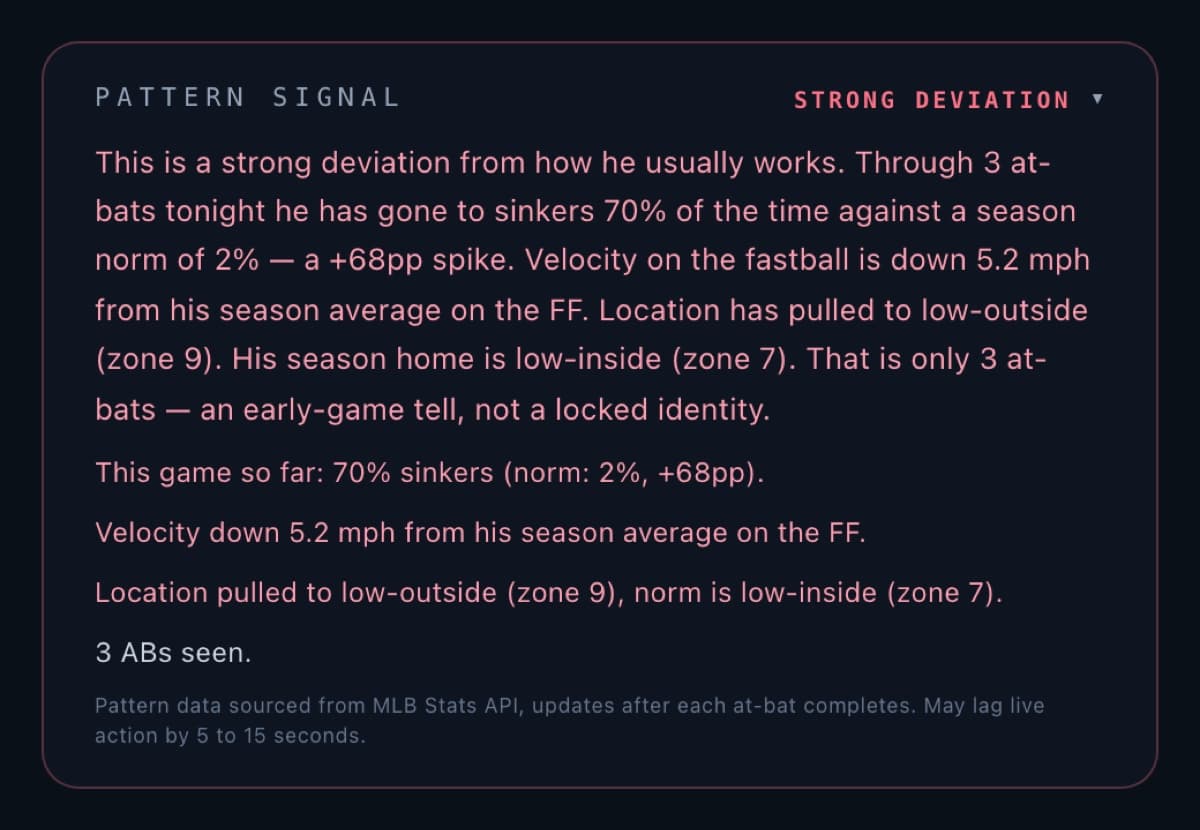
See how tonight's pitch mix, velocity, and location have changed from the batter's season norm after every completed at-bat.
Access: Sharp
Example renderPattern Signal · strong-deviation stateThree at-bats is labeled as an early-game tell, with the sample size kept visible.
What
This game’s mix against his season norm
Pattern Signal sits on the Plate Read card. After completed at-bats, it shows how tonight’s pitch mix and location pattern compare with that batter’s season-to-date script. It is a read of pitches already thrown — not a forecast of the next one.
Why there
Same card, same live plate appearance
Plate Read already prices the live plate appearance. Pitch Pattern adds the evidence behind whether tonight's attack has drifted from the season script, beside the count and game state that produced it.
Why useful
Drift is readable without leaving the card
Mix and location drift stay next to the live read. A season-aligned look or a clear departure is visible at a glance. When the feed is still loading or the source is unavailable, the card says so. Missing data is never sold as a signal.
How it works
Completed at-bats, then a comparison
After each completed at-bat, the running in-game mix is compared to the batter's stored season profile. Ready shows the comparison, Loading means the sample is still forming, and Unavailable identifies a missing or stale source.
Signal states
Ready
A completed-at-bat mix is on the card, compared to the batter’s season norm.
Loading
The card shows Awaiting until the first completed at-bat produces a comparison.
Unavailable
The source is missing, stale, or in error, so the comparison is labeled Unavailable.
Pitch Pattern does not predict the next pitch or promise a result. Open Plate Read to see the live signal. The Plate Read overview explains the desk that holds it.